
Austin County Warrant Searches
Austin County does not have one verified public search that covers every court. Read the case paperwork first. A city citation points to that city’s municipal court; a JP citation points to a precinct; county-level misdemeanor and felony records follow separate clerk routes. A search for a name alone may miss the court record that matters.
The County Clerk and District Clerk pages link to the official Tyler portal, but it returned an access-denied response during research. Use it as a starting point when available, then confirm the result with the court that issued the process.
- Match the court name, case or citation number, precinct or city, and date on the official notice.
- Open the Tyler court-record link from the County Clerk or District Clerk page. The live search fields were not verified.
- Call the named JP or municipal court for its own case file and current process status.
- Ask ACSO Public Information for an existing agency record if that is what you need; its standard form has no warrant checkbox.
- For an FTA or license-renewal hold, ask the court and Texas DPS separately. DPS is not a public warrant database.
Austin County’s Warrant List Was Not Located
The official Austin County and ACSO pages reviewed did not expose a sheriff warrant search, active list, or dedicated warrant phone line. That finding describes the public pages inspected. It does not show that no warrant exists or that no agency record is held.
For a court question, start with the issuing court. For a Sheriff’s Office record, use the written Public Information route. Do not rely on a third-party list as proof of current status.
What a Warrant Search Asks For
No warrant-search field labels were captured because the county-linked portal blocked inspection. Austin County’s actual request and payment materials do document the identifiers below. They are separate workflows, not a promise that the same fields appear on a warrant page.
| Source | Known fields | Use | Limit |
|---|---|---|---|
| Tyler portal | Search labels unknown | County and district court records | Access denied in research; ask clerk what it covers. |
| ACSO request form | Date, record type, incident date, names and DOB of other parties | Request an existing agency record | No warrant checkbox; custom written request needed. |
| JP3 payment instructions | Precinct selector, driver-license number and state | JP3-specific payment | Not a warrant roster or countywide search. |
| County citation letter | Citation number or driver-license number | Identify payment | Live form labels were not captured. |
Austin County Warrant Records Requests
The ACSO blank request form lists reports and letters, including incident reports and accident reports, but it has no warrant checkbox. A custom written request should name the records sought, date range, court or case identifier if known, and preferred electronic format. Ask for a cost estimate before production.
The Sheriff’s civil-process page is a different channel for civil papers. A civil-service entry does not answer whether a criminal warrant is active.
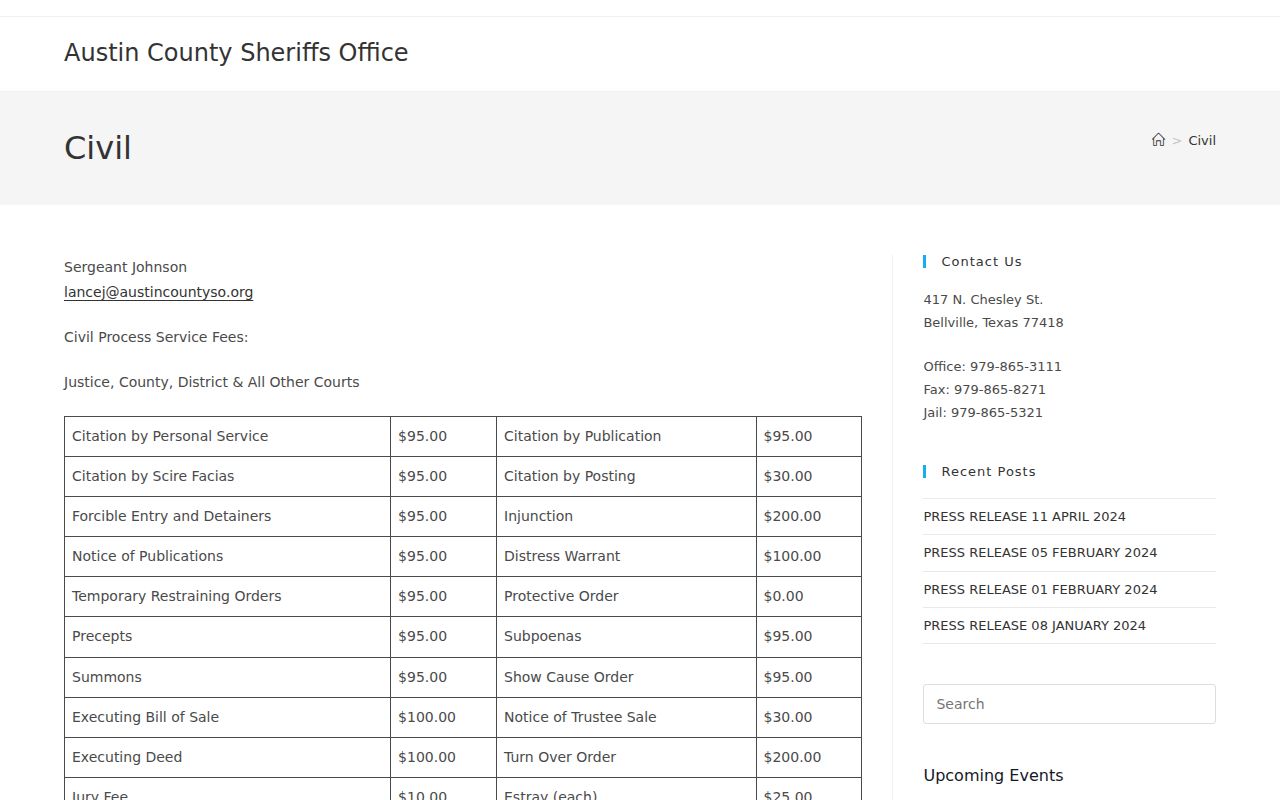
The source image shows the Sheriff’s civil-process route. Keep a criminal-process question with the issuing court or the correct records officer.
Austin County Warrant Search Results
No live Austin County warrant result was available to inspect, so the rows below are a non-personal sample schema, not a claim about the Tyler portal. Chapter 15 and local court pages support the routing fields. Ask the clerk to explain any status label before acting on it.
| Case identifier | Example only: cause or citation number; no local warrant code was confirmed. |
|---|---|
| Process type | Arrest warrant, summons, capias, or capias pro fine are distinct terms. |
| Issuing court | Names the municipal, JP, county, or district court responsible for the case. |
| Offense or judgment | Chapter 15 requires offense information on an arrest warrant; Chapter 45A capias pro fine carries judgment details. |
| Status and next step | Ask the court to explain current docket language and the action that changes it. |
Austin County Tyler Warrant Portal Access
The county-linked Tyler site returned a 403 access-denied response during research. The County Clerk and District Clerk both point to it as a public-access starting point, but the error may reflect access, browser security, or service conditions. It is not a no-record result.
Check the County Clerk page for county-level criminal records and the District Clerk page for felony cases after indictment. These screenshots document the official routes, not a successful person-level warrant search.

The County Clerk image gives the court-record route. Ask the clerk which case types and dates the portal contains.
The District Clerk contact page separates felony files after indictment from county-level misdemeanor records.

Use the District Clerk route when the case paperwork shows a felony indictment; a portal error still needs direct clerk follow-up.
Austin County Warrants: Who Holds What
Austin County records are split by court level. The County Clerk page lists county-level criminal and misdemeanor records. The District Clerk identifies felony criminal cases after grand-jury indictment. Four JPs keep their own lower-court dockets, and municipal courts handle city ordinance and Class C matters. ACSO may hold an agency or execution record.
The official Texas court directory can help identify a court contact when the citation is unclear. It is a directory, not a person-level warrant result. For a traffic license hold, check Texas DPS separately from the issuing court.
Austin County Warrant Courts by Level
The county has four separate JP offices: JP1 in Bellville, JP2 in Industry, JP3 in Sealy, and JP4 in Wallis. A town name alone may not identify the case. Use the court printed on the citation, because Sealy, for example, has both JP3 and a municipal court.
Ask the court for the case or citation number, current process type, any appearance requirement, and the written confirmation used after resolution. The sheriff may answer an agency-record question, but the court controls its own docket.
Which Warrants Stay Restricted
The Texas Public Information Act covers access to government records, but exceptions and other statutes can limit release. Juvenile law-enforcement records have special confidentiality rules. A court may also seal or redact material, and no online search should be treated as complete for every court level.
Key Rules:
Texas Government Code Chapter 552 allows public access while preserving statutory exceptions and redactions.
Texas Family Code Chapter 58 limits public access to many juvenile law-enforcement records.
A missing result can reflect a different court, a recent entry, protected information, or a technical access problem. Confirm the process with the issuing court.