
How Traffic Warrants Work in Austin County
A traffic citation can lead to a failure-to-appear or payment issue, but the process depends on the court named on the paper. Austin County’s 2025 courtesy letter tells the recipient to contact that court by the due date and explains plea and payment options. It does not set one rule for every JP and city court.
Austin County has four JP precincts plus separate municipal courts in several cities. Use the citation to tell which court controls the ticket; do not pick a payment site based on the town alone.
Austin County Traffic Warrant Routing
The County’s courtesy letter identifies a citation number or driver-license number for its payment route and says to use the court by the stated due date. The live form labels were not captured, so the letter should not be described as a public warrant lookup. A payment identifier is not a full status search.
If the ticket names a city court, contact that court. If it names JP1, JP2, JP3, or JP4, use that precinct’s own contact and instructions. The citation number is a useful key when asking what status or action appears in the file.
For a general search path, use the county’s warrant check steps and then confirm the traffic case with its issuing court.
Austin County Traffic Warrant Checks
Start with the court printed on the citation. The county’s general Tyler portal returned access denied during research, and no single countywide traffic-warrant search was verified. Use the court’s own phone or case route when the payment page rejects the citation, shows an active-warrant warning, or does not match the notice.
- Read the court name, precinct or city, citation number, and response date on the notice.
- Use the court-linked payment or citation route only for the court named on the paper.
- Call that JP or municipal court to ask whether the case shows an FTA, warrant, plan, or required appearance.
- If a record copy is needed, ask the court or clerk how to request it; keep payment and status questions separate.
Austin County JP3 Warrant Payment Rules
JP3 is in Sealy, but its citation route is distinct from Sealy Municipal Court. The JP3 payment PDF lists the Austin County Justice of the Peace and Precinct 3 selection, driver-license number and state, a $6.50 transaction fee, and no personal checks. The instructions say the system records a “No Contest” plea, so read them carefully before choosing a payment path.
The county four-precinct JP directory helps match a citation to an office.
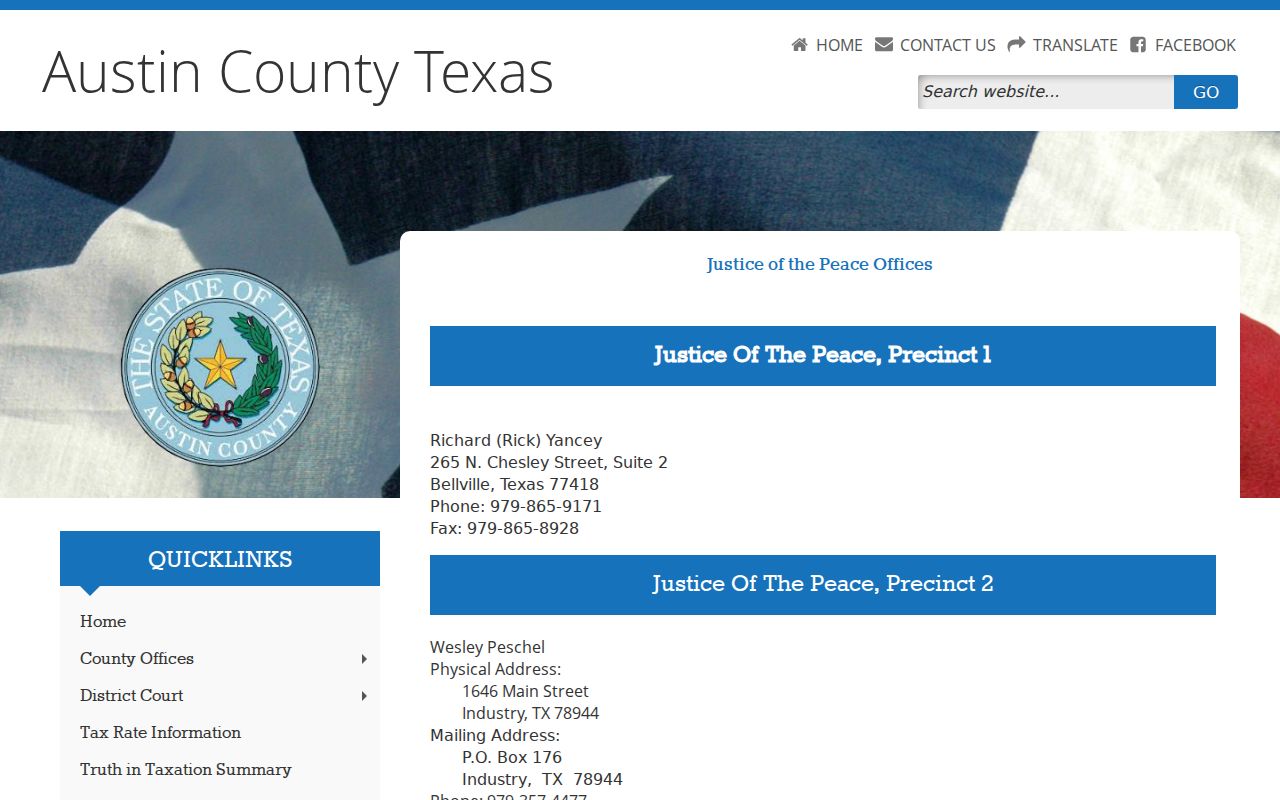
This directory image shows why the precinct on the citation matters. It is a routing aid, not a warrant result.
The JP3 traffic and criminal page provides the Sealy precinct’s local forms and reset instructions.
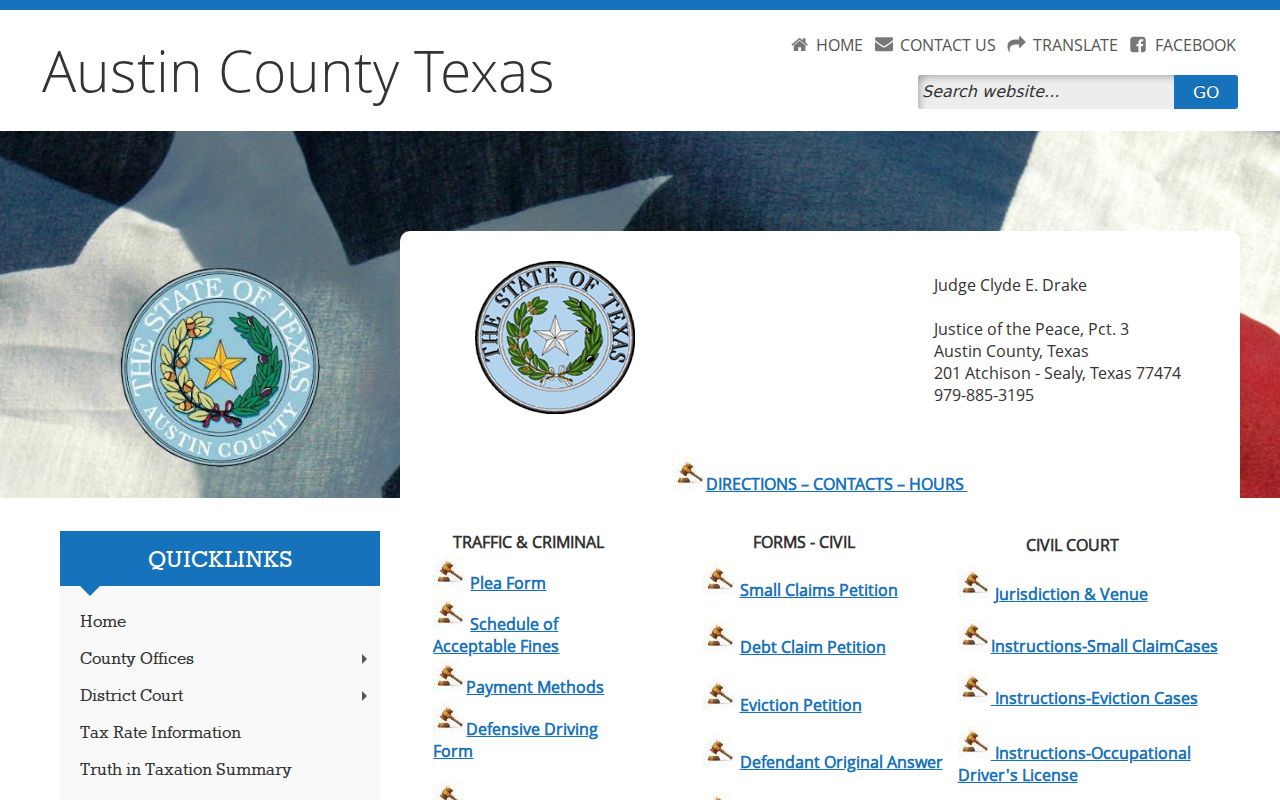
Use those instructions for a JP3 case only; a Sealy municipal-court citation follows a different process.
Traffic Warrants: What They Show
Austin County sources did not expose a live traffic-warrant result schema. The rows below are a safe citation-and-case guide, not a claim that a portal displays these fields. Keep the court’s name and identifier together when asking for clarification.
| Identifier | Example only: citation number; the county letter says a citation or DL number can identify payment. |
|---|---|
| Underlying matter | Traffic citation, plea response, due date, or court event; ask the court what is in the docket. |
| Issuing court | One of four JP courts or a city municipal court named on the notice. |
| Balance or plan | Case-specific; vendor fees and court costs are separate. |
| Status | Ask whether the court shows an FTA, warrant, payment plan, or completed resolution. |
Austin County Traffic Warrant Payment Fields
A citation payment page is not a warrant database. Austin County Pay accepts a citation or driver-license number according to the county courtesy letter, but the live form labels were not visible in research. Sealy TrafficPayment showed the municipal court’s identity and warnings, while its search-field labels were not reliably captured.
Sealy’s page says partial payments on an active warrant require a Payment Plan application. It also lists categories that cannot be paid through that page, including driver-safety, deferred-disposition, juvenile, and compliance matters. If the vendor rejects a case, call the court instead of trying another court’s form.
Austin County’s courtesy letter and Sealy’s city-linked payment page give court-specific instructions.
Clearing an Austin County Traffic Warrant
First ask whether the court requires payment, a plea, a reset, a plan application, a bond, or an appearance. A vendor can take a payment but does not decide whether separate process has been recalled. If a plea choice is involved, understand its effect or ask a lawyer before selecting it.
- Contact the court named on the citation and confirm the case number, amount, and any active process.
- Ask whether to pay, request a plan, enter a plea, appear, or speak with counsel.
- Use only the court-linked payment route and keep its confirmation number or receipt.
- Ask the court what docket entry confirms recall or satisfaction; check a DPS hold separately if one applies.
Warning: A payment receipt may not clear an FTA or appearance requirement; ask the issuing court for written confirmation before treating the case as resolved.
Austin County Traffic FTA and DPS Holds
Texas DPS’s FTA/FTP and OmniBase process can block license renewal after a failure to appear or satisfy a fine. It is not a public warrant search and does not replace the court’s answer about an active warrant or capias. Contact each court involved to confirm what remains due.
DPS says some closed-violation checks may take up to seven business days after court clearance. That is not a promise about when the court docket or warrant status updates. Keep the court receipt and ask whether DPS needs another update step.
Texas DPS FTA/FTP guidance explains the license-hold layer.
Austin County Traffic Warrant Court Contacts
Use the court named on the citation, not just the nearest town. These are published contact routes from Austin County and municipal pages. Wallis and San Felipe details need particular verification before travel or mailing.
| Court | Published contact | Routing note |
|---|---|---|
| JP1, Bellville | 979-865-9171 | County citation, precinct 1. |
| JP2, Industry | 979-357-4477 | County citation, precinct 2. |
| JP3, Sealy | 979-885-3195 | County citation; separate from Sealy Municipal Court. |
| JP4, Wallis | 979-478-6723 | County citation, precinct 4. |
| Bellville Municipal Court | 979-865-2145 | City citation; City Hall court. |
| Sealy Municipal Court | 979-885-6733 | City citation and payment-plan questions. |
| Wallis Municipal Court | 979-478-7111 on court page; 979-478-6712 in directory | Verify the current court number; the court page lists an email route. |
| San Felipe Municipal Court | 979-885-7035 on city-info page | Older details; verify before relying on schedule or payment terms. |
The county JP directory, Bellville court page, Wallis court page, and San Felipe city information are source-specific routes. Sealy’s linked court page is here.
How Traffic Warrants Trigger License Holds
One citation can involve a court warrant, a failure-to-appear event, and a separate DPS renewal hold. They are not one record or one status. Ask the court what process it issued, then contact DPS only about a license-hold update.
| Mechanism | What Triggers It | What It Does |
|---|---|---|
| Traffic warrant | Court process after the case event described by the issuing court. | Must be confirmed with that court. |
| FTA | A missed required court appearance. | May lead to additional court process or costs, depending on the case. |
| DPS license hold | FTA/FTP information reported through the state process. | Can affect license renewal; it is not a warrant search. |